
Close the lid.
Your AI keeps working.
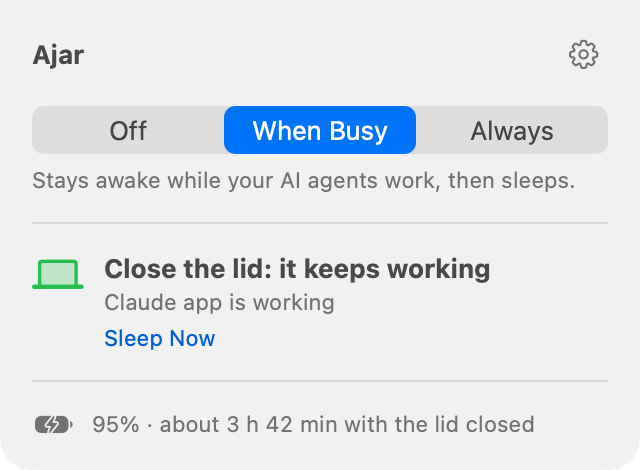
Ajar keeps your laptop awake with the lid shut while your AI agents work, then lets it sleep.
Download for MacFirst open: if macOS blocks it, go to System Settings › Privacy & Security and click Open Anyway.
How it works
Install it
Type your password once.
Start your agent
Claude Code, Codex, Gemini CLI and others are found on their own.
Close the lid
It keeps working, then sleeps when the agent stops.
Less battery with the lid shut
Ajar pauses apps you aren't using and turns on Low Power Mode. Open the lid and it all comes back.
Measured with Ajar's power test on an M5 Max MacBook Pro, lid closed, iOS simulators open.
Safe to leave
Sleeps when it's done
A few minutes after your agent stops.
No lock screen
Open the lid and you're back where you were.
Battery and heat limits
It sleeps at 15% battery or if it gets too hot.
Puts everything back
Every change is undone when you open the lid.
Check on it from your phone
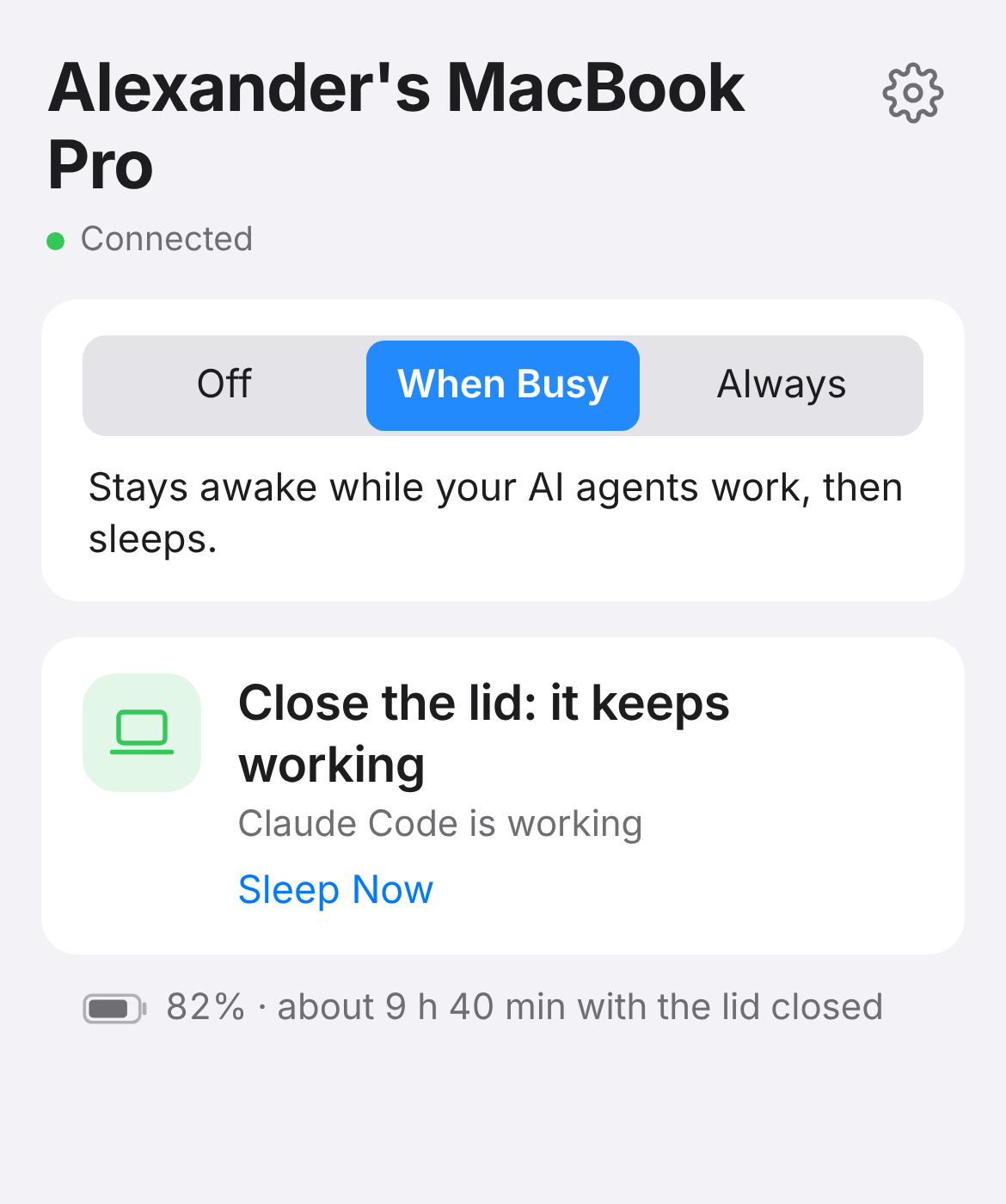
See if it's still working, let it sleep, or wake it up again. Nothing to install.
- On the laptop: Ajar › Settings › Phone.
- Scan the QR code.
- Tap Share › Add to Home Screen.
Already paired? Open the phone page.
Your AI can use it too
Connect Claude Code, Codex or the Claude app in Settings › AI Agents. Then paste this to your agent:
Ajar is installed on this laptop. It keeps the machine awake with the lid closed while you work, and cuts power use while the lid is shut. You can control all of it through the ajar MCP tools (or the ajar command). Set it up for me:
1. Read Ajar's settings and power report to see every setting and what is using power right now.
2. Ask me, in one short message: which apps must keep running at full speed with the lid shut (music, calls, a local model, Docker...), and whether it should stay awake only while agents work or always.
3. Apply the strongest savings that don't touch what I named: preset max_battery, pausing simulators and background audio, low power, and per-app rules.
4. If my lid is closed, run Ajar's power test and tell me what the savings are worth in watts.
5. From now on, keep the laptop awake through Ajar before long work and release it when done.
Never turn off the heat guard or lower the battery limit; Ajar won't let you, and that's on purpose.
Tired of approving every step? Settings › AI Agents › Approve everything lets Claude Code and Codex run without asking. Risky, so only you can switch it on, and switching it off puts your settings back.
For agents: llms.txt
Questions
Is it safe in a bag?
It watches the temperature and sleeps if the laptop stays hot. It also sleeps at 15% battery.
Do I type my password when I open the lid?
No. The screen stays dark instead of sleeping, so there's no lock screen.
What does it change?
Sleep, Low Power Mode, brightness, Time Machine's automatic backups, and apps you aren't using. Opening the lid puts it all back. Settings › About › Remove Ajar removes it.
Which agents?
Claude Code, Codex, Gemini CLI, Cursor Agent, Copilot CLI, Amp, Aider, OpenCode, Ollama and the Claude app. You can add any other app in Settings › Apps.
Does it cost anything?
No. It's free and open source. Code on GitHub.
Windows and Linux?
Yes. Windows 10 and 11, and Linux desktops with systemd. Both are newer than the Mac version, so tell us on GitHub if anything's off.